
How to Access the Unregistered Players Report
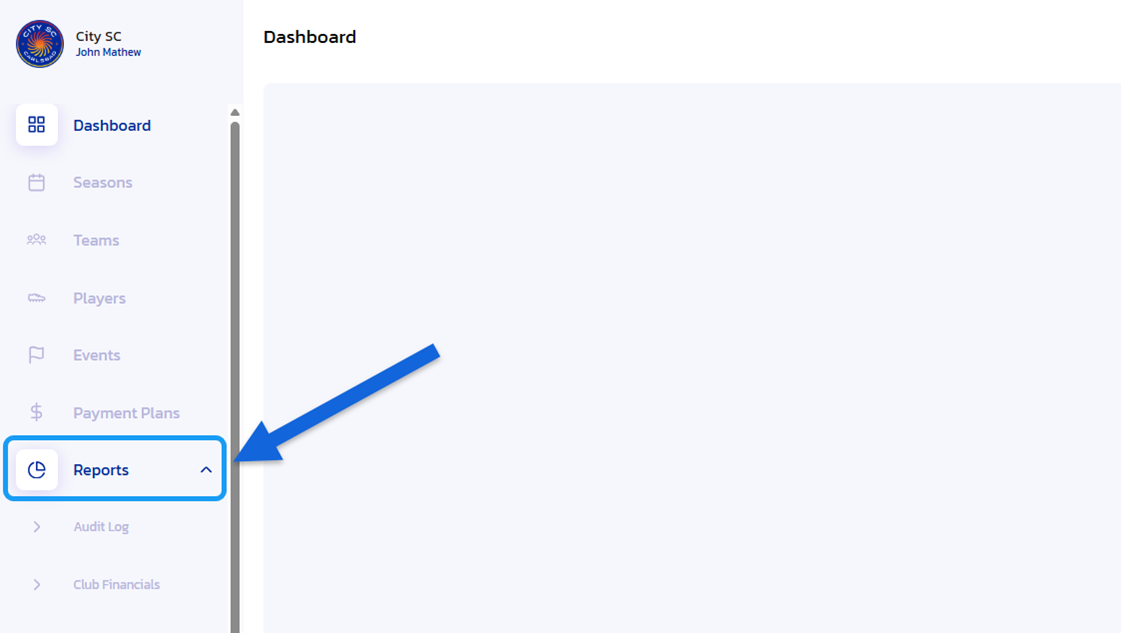
- Navigate to Reports: From the Side Navigation Bar, click on "Reports" to expand options.
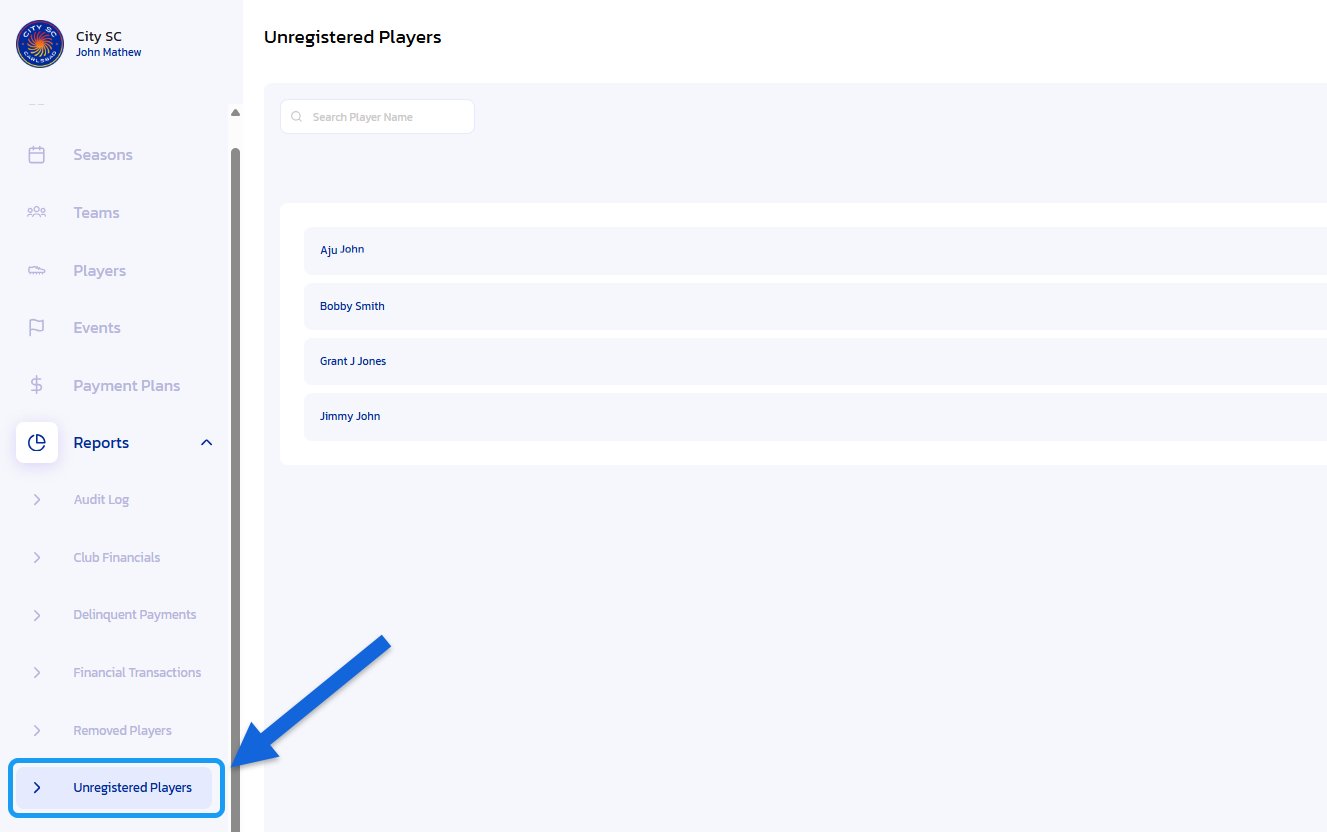
- Open Unregistered Players: Click on the "Unregistered Players" option located under "Reports".
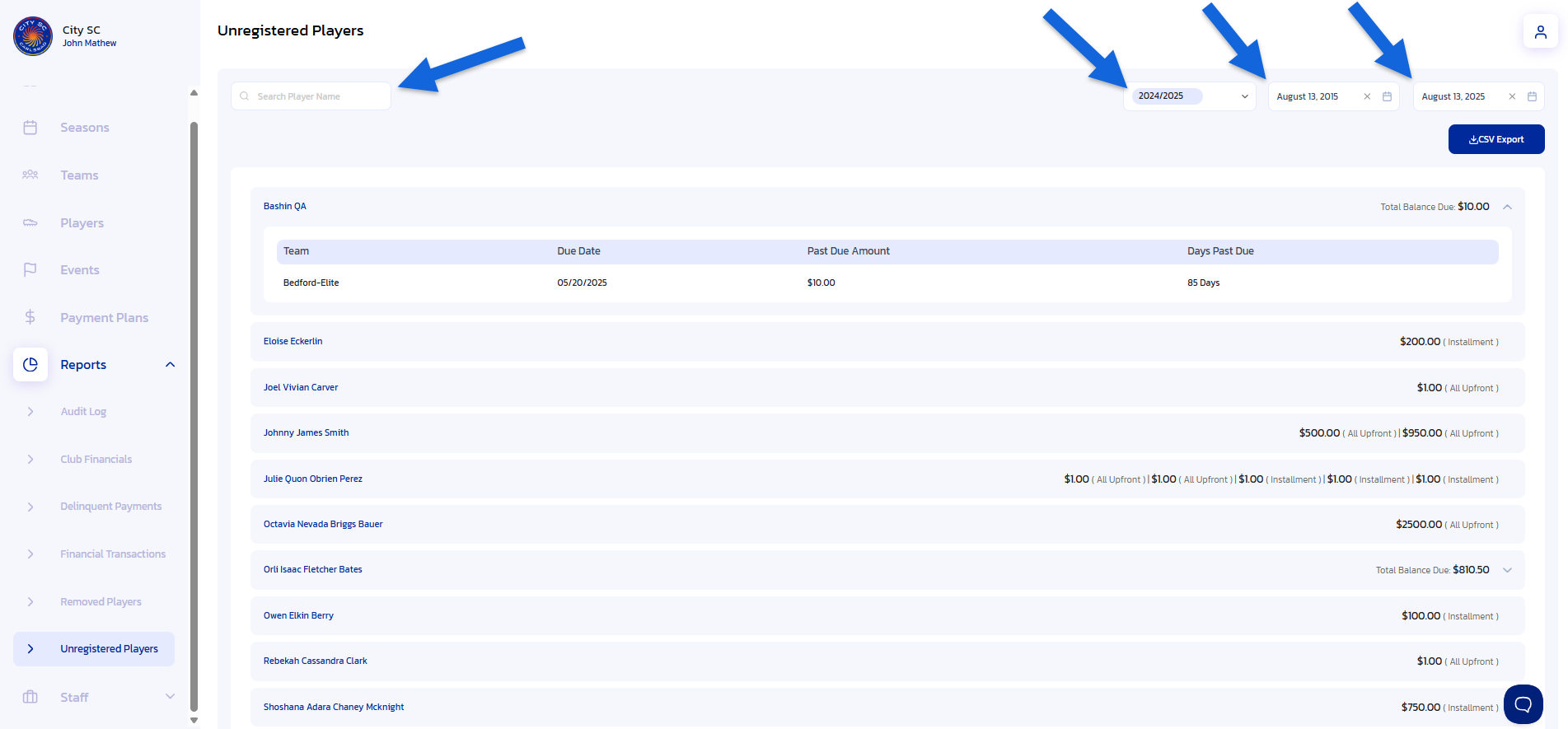
- Locate Player Name: Use the Search Bar and/or the Season and Date filters to help locate the desired player name.
- Choose Player to View and/or Export:
4a. If the Unregistered Player has attempted to register and the deposit or up front payment has failed, a total balance due will be displayed on the player name line.

4b. For a detailed breakdown of a player that has attempted to register, including Team Name, Due Date, Past Due Amount and Days Past Due, click on the expansion arrow next to the balance due amount on the player name line.
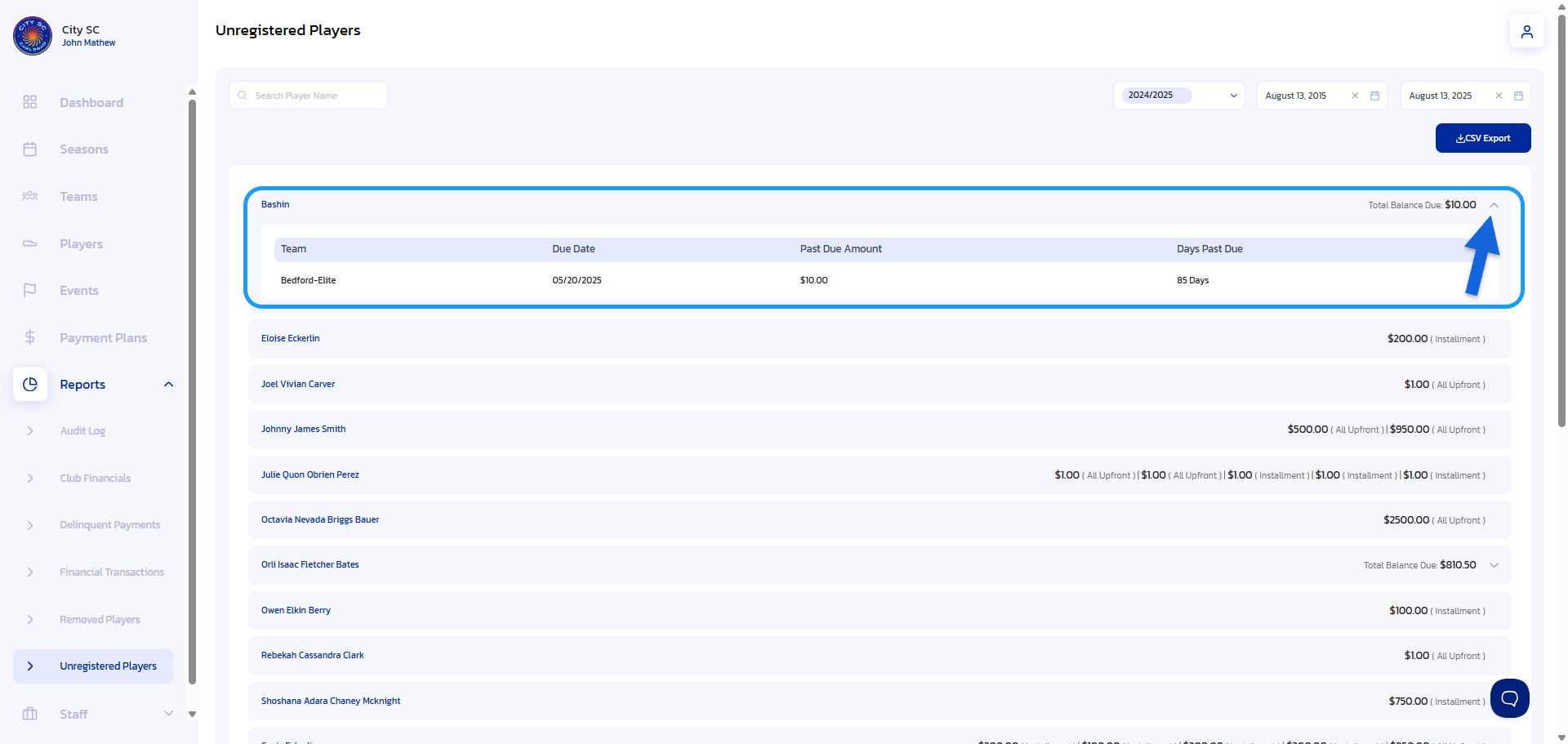
4c. If a player has not yet attempted to register for the team, the assigned payment plan(s) for that player will display in the player name line. NOTE: There is no detailed dropdown option for players that have not yet attempted to register. If users click on the Player Name, they will be directed to the Player's Profile screen.
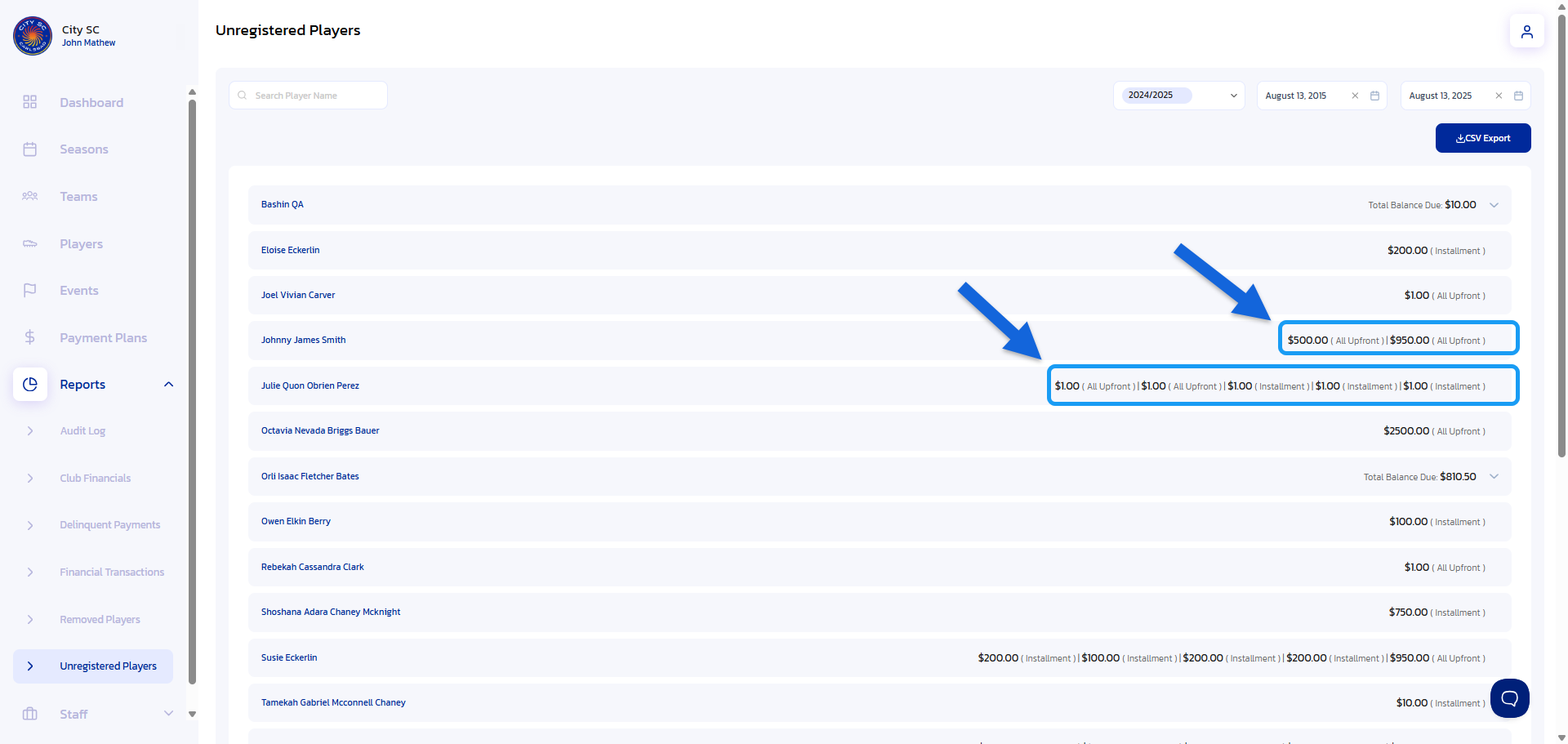
- Export Unregistered Player Report: To export a certain Unregistered Player's Report, simply click on the "CSV Export" button. The report can then be found in your Downloads folder.

NOTE:
The Unregistered Player's Report allows users to quickly identify and follow up with players who:
- Were invited to a team but never started registration
- Started registration but didn’t complete payment or submit a deposit
This report provides detailed visibility, including:
- Player name (first and last)
- Associated team information
- Failed transactions
- Due dates, outstanding balances and days past due
The Unregistered Players Report is available to users with the appropriate role permissions. If you need to access, please contact your organization administrator.